App tour

Every nearby clinic, in one app

Find clinics, labs and scanning centres near you, see their specialties, services, facilities and live doctors, and book a token in a few taps.

Find

Find every nearby clinic in one place

Open the app and see clinics and hospitals around you with open-now status and distance. Search by name or filter by system of medicine, and jump straight to doctors, specialties, facilities or labs and scans.
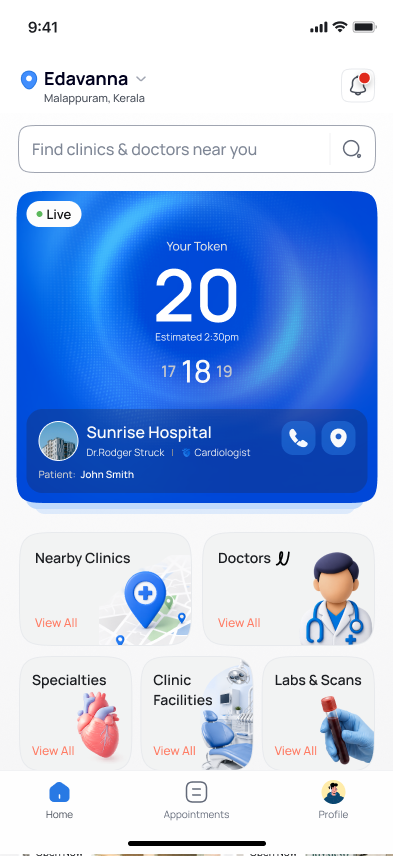
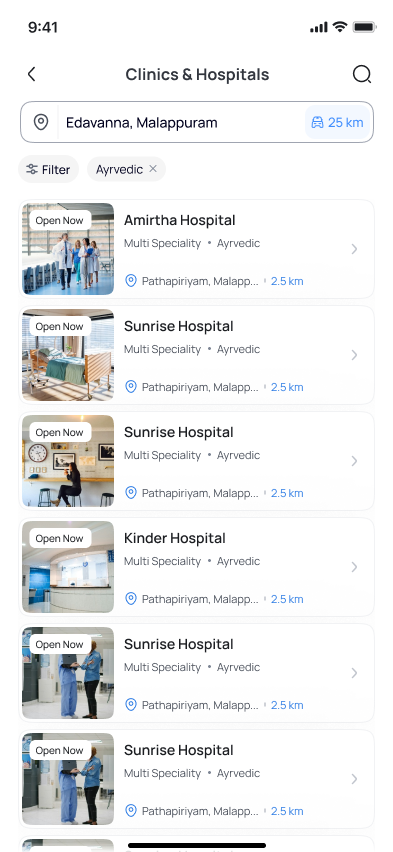
  • Nearby clinics with distance and open-now tags
  • Search and filters, for example by system of medicine
  • Browse by specialty, facility, lab or scanning centre
  • Recommended clinics on the home screen
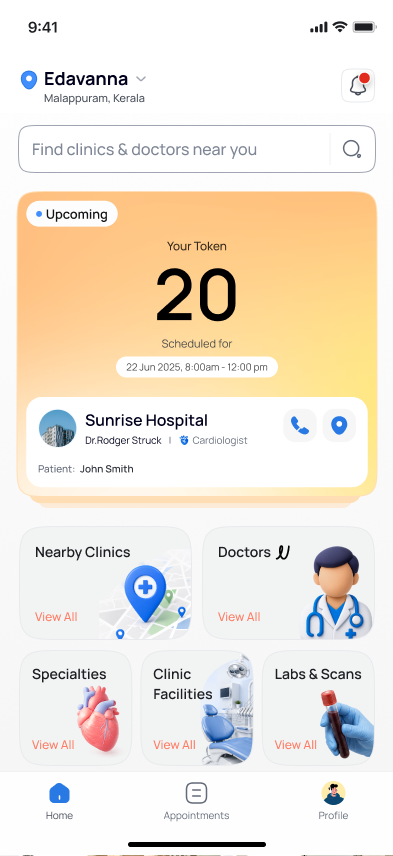
Aptly Care home screen with a live token card, nearby clinics, doctors, specialties, facilities and labs and scans
List of nearby clinics with open-now tags, distance, a location bar and a system-of-medicine filter
Explore

Know a clinic before you visit

Every clinic has a profile with its doctors, facilities and details, so you can decide with confidence before you leave home.
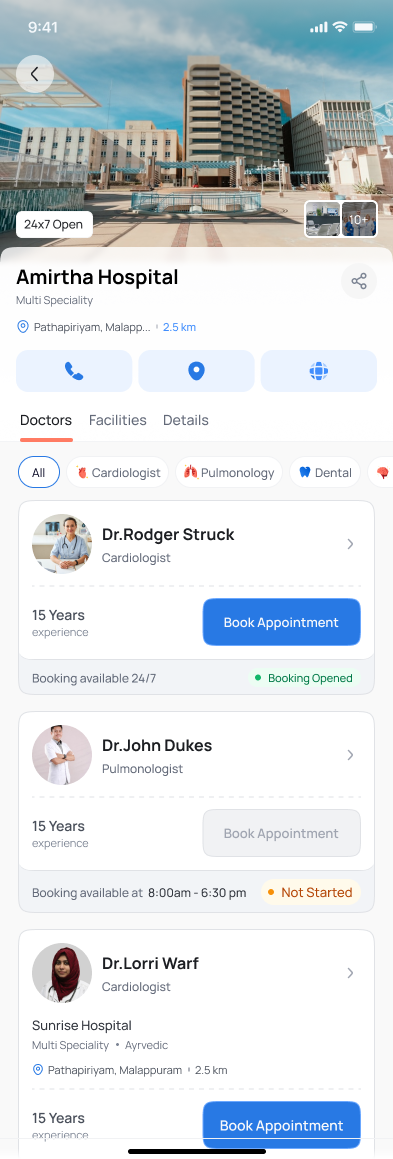
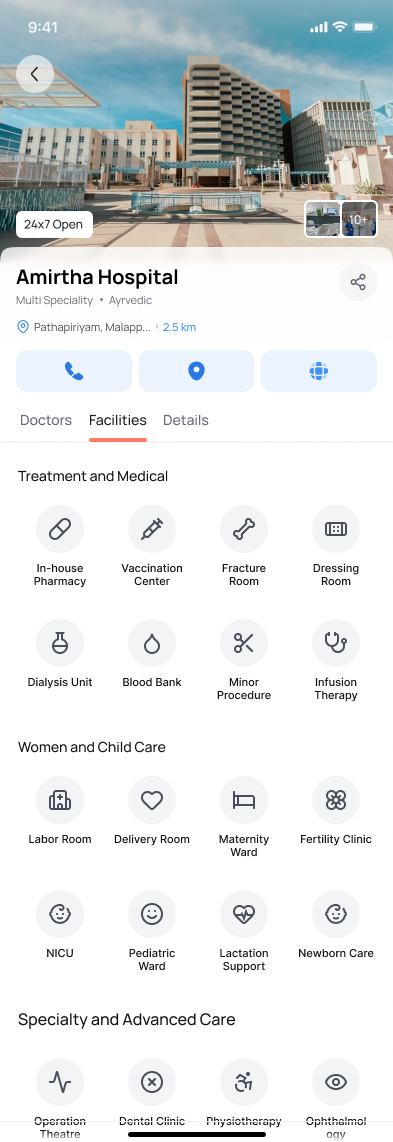
  • Doctors grouped by specialty with booking status
  • Facilities shown by category, from in-house pharmacy to maternity and imaging
  • Clinic type, system of medicine, established year, doctors and beds where verified
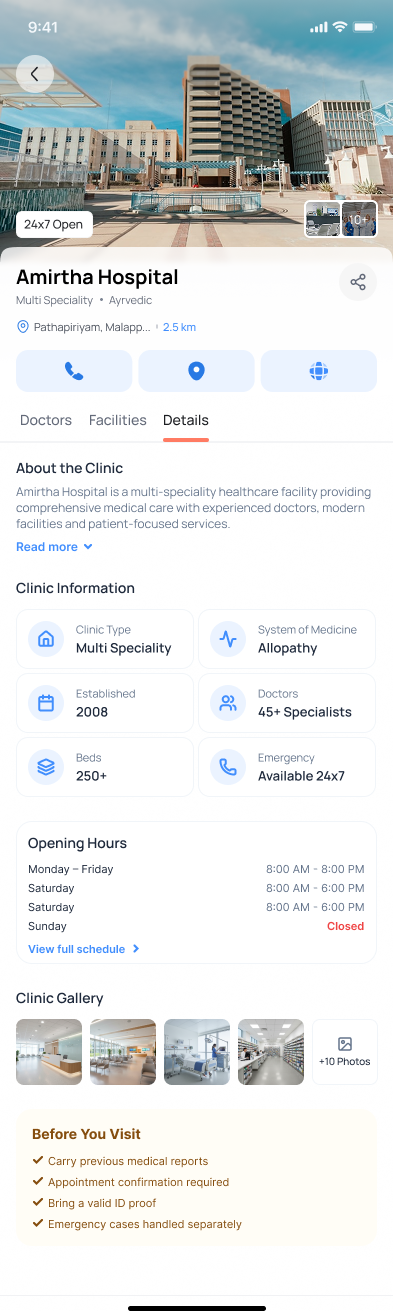
  • Opening hours, photo gallery and a before-you-visit checklist
  • One-tap call, directions, website and share
Clinic profile Doctors tab with call, directions and website buttons and doctors with booking status
Clinic profile Facilities tab showing facilities grouped by category such as treatment, women and child care
Clinic profile Details tab with clinic information, opening hours, gallery and a before-you-visit checklist
Book

Book a token in a few taps

Pick a doctor, see when they are working and book a session. Automatic booking works around the clock, with no phone call to the clinic.
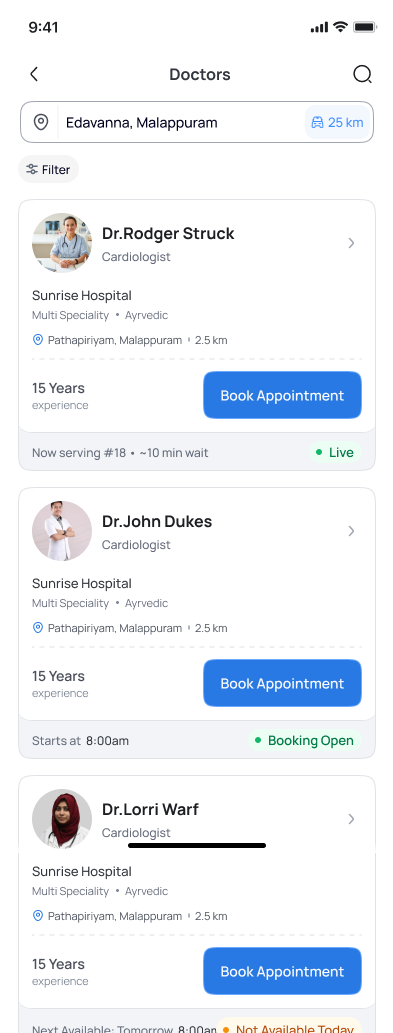
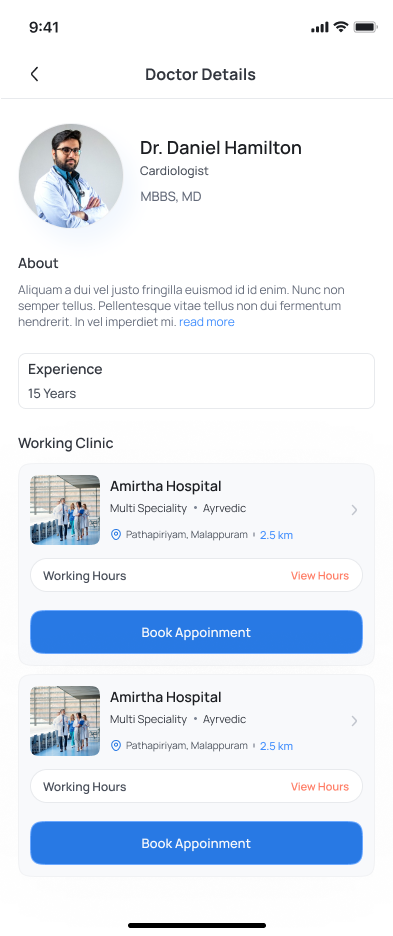
  • See which doctors are live, now-serving token and estimated wait
  • Working hours for each clinic, including leave days
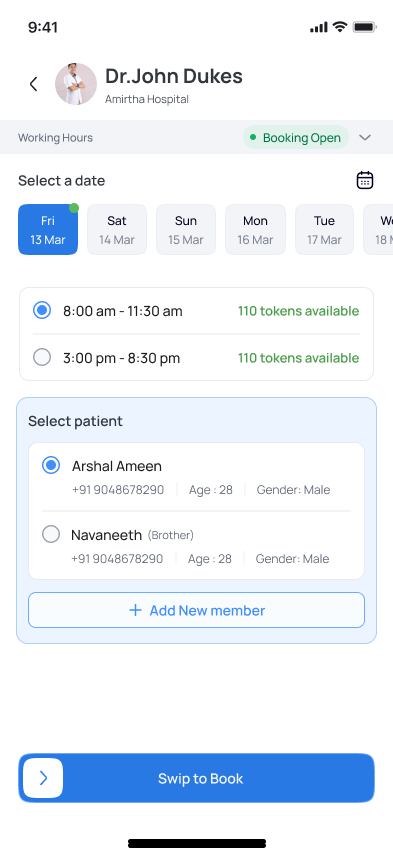
  • Choose a date and session with tokens available
  • Book for yourself or a family member
  • Swipe to confirm your booking
Doctors list showing experience, now serving token, estimated wait and live or booking-open status
Doctor details with qualifications, experience and the clinics where the doctor works
Booking screen with date selection, session timings, tokens available, patient selection and swipe to book
Track

Follow your token live

Your token, the estimated time and the numbers around yours stay on your home screen, so you can arrive at the right time instead of waiting in a crowded room.
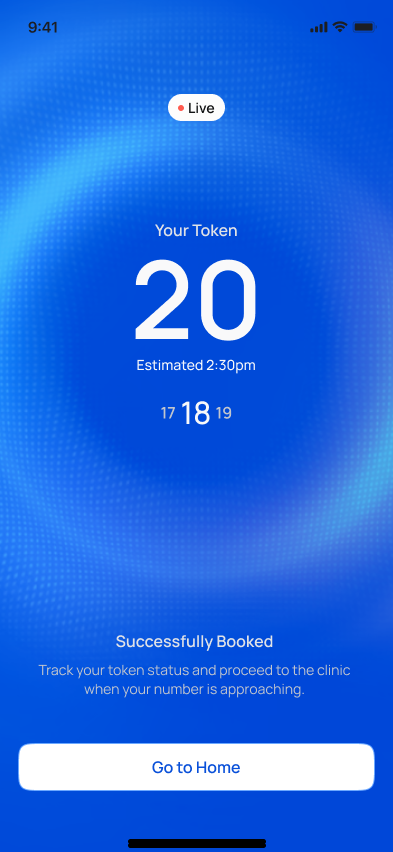
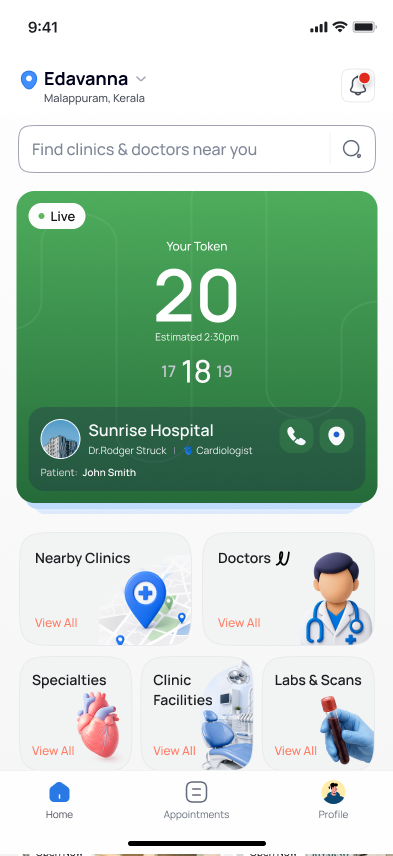
  • Your token number with the estimated time
  • Live card shows the current token and the ones next to yours
  • Clear states: live, upcoming, completed and skipped
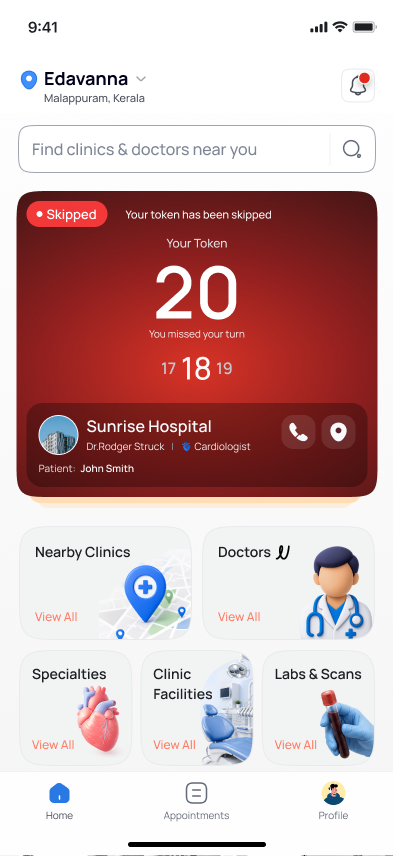
  • A skipped token is shown clearly so you know you missed your turn
Successful booking screen showing your token number, estimated time and the tokens around yours
Home screen with a live token card showing your token, estimated time and the current number
Home screen with an upcoming appointment card showing the scheduled date and time
Home screen with a skipped token card telling you that you missed your turn
For clinics and labs

What the app does for your clinic

Aptly Care brings nearby patients to your clinic and makes every booking easier to manage.

Visibility

Appear when patients nearby search for clinics, specialties, services and facilities.

More new patients

Reach people who have not visited you before and bring new patients through the door.

List your services and facilities

Publish specialties, services, facilities and photographs, with prices, once.

Manage the queue

Run tokens and the live queue from one dashboard and keep patients informed.

Handle many bookings at once

Automatic booking takes many requests at the same time, so phone lines and the front desk are not overwhelmed.

Labs and scanning centres too

Laboratories and scanning centres can list tests, scans and packages and take bookings.

Common Questions

Your Questions Answered

Find clear answers and solutions to all your questions quickly.

Do I need to install the app to book?

No. You can also book on the web app without installing anything. The mobile app is optional.

Can I book for a family member?

Yes. Choose the patient when you book, or add a new member, then confirm.

What happens if I miss my turn?

If the clinic skips your token, the app shows it as skipped so you know you missed your turn. Restoring or rescheduling a skipped token follows the clinic's policy.

Is the information in the screenshots real?

The screens are examples. Clinics, doctors, prices and availability you see in the app come from the providers' own published data.

Better clinics. Easier care.

Find healthcare near you, or bring your clinic, laboratory or practice onto Aptly Care.